

FaiTermTerminal, files, and AI — in one window.
Local terminal · SSH / SFTP · Smart completion · AI assistant & knowledge base On desktop and Android
Local terminal · SSH / SFTP · Smart completion · AI assistant & knowledge base On desktop and Android

CAPABILITIES
Adopts modern glassmorphism design style with dark and light theme modes. Clean and intuitive interface provides a comfortable visual experience.
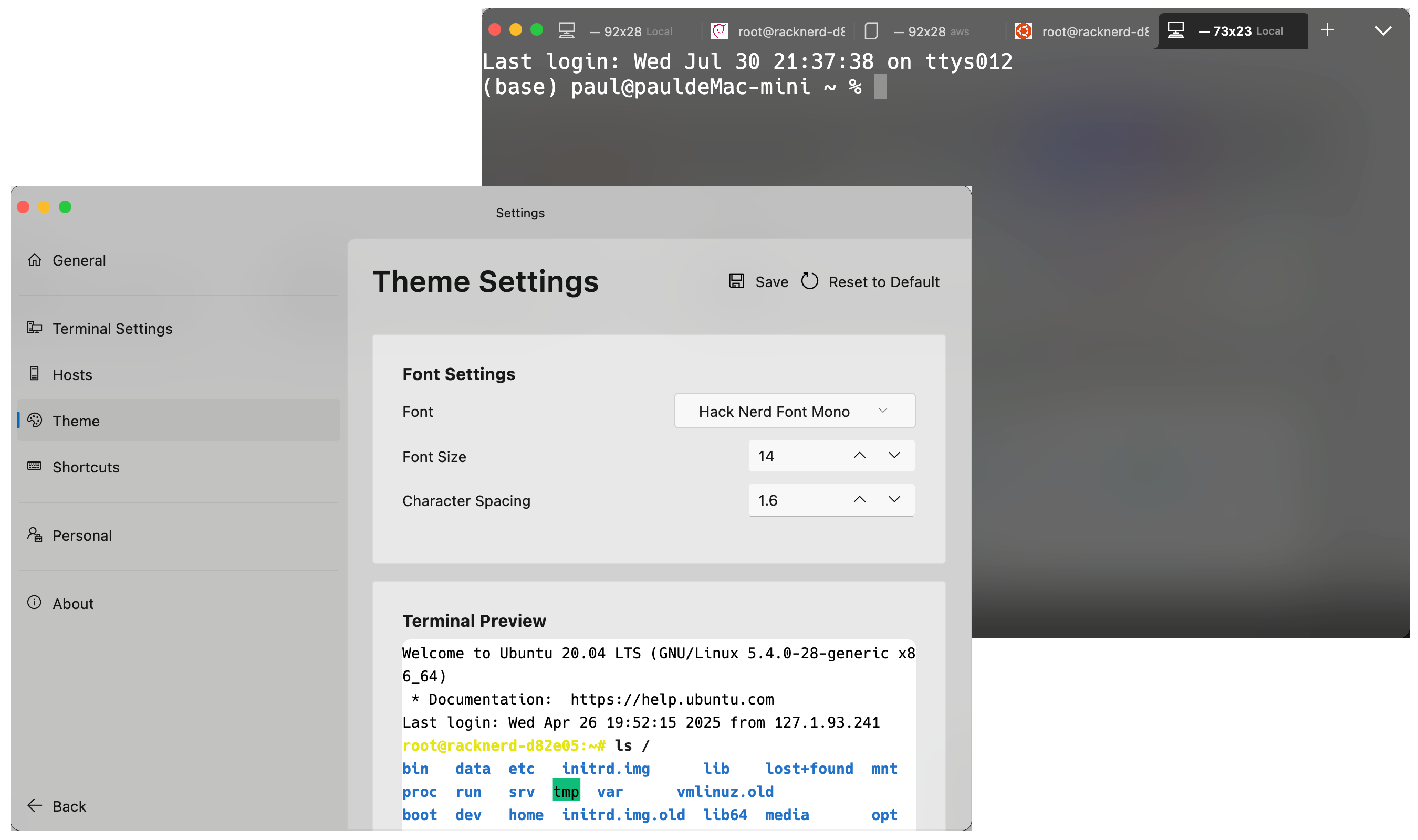
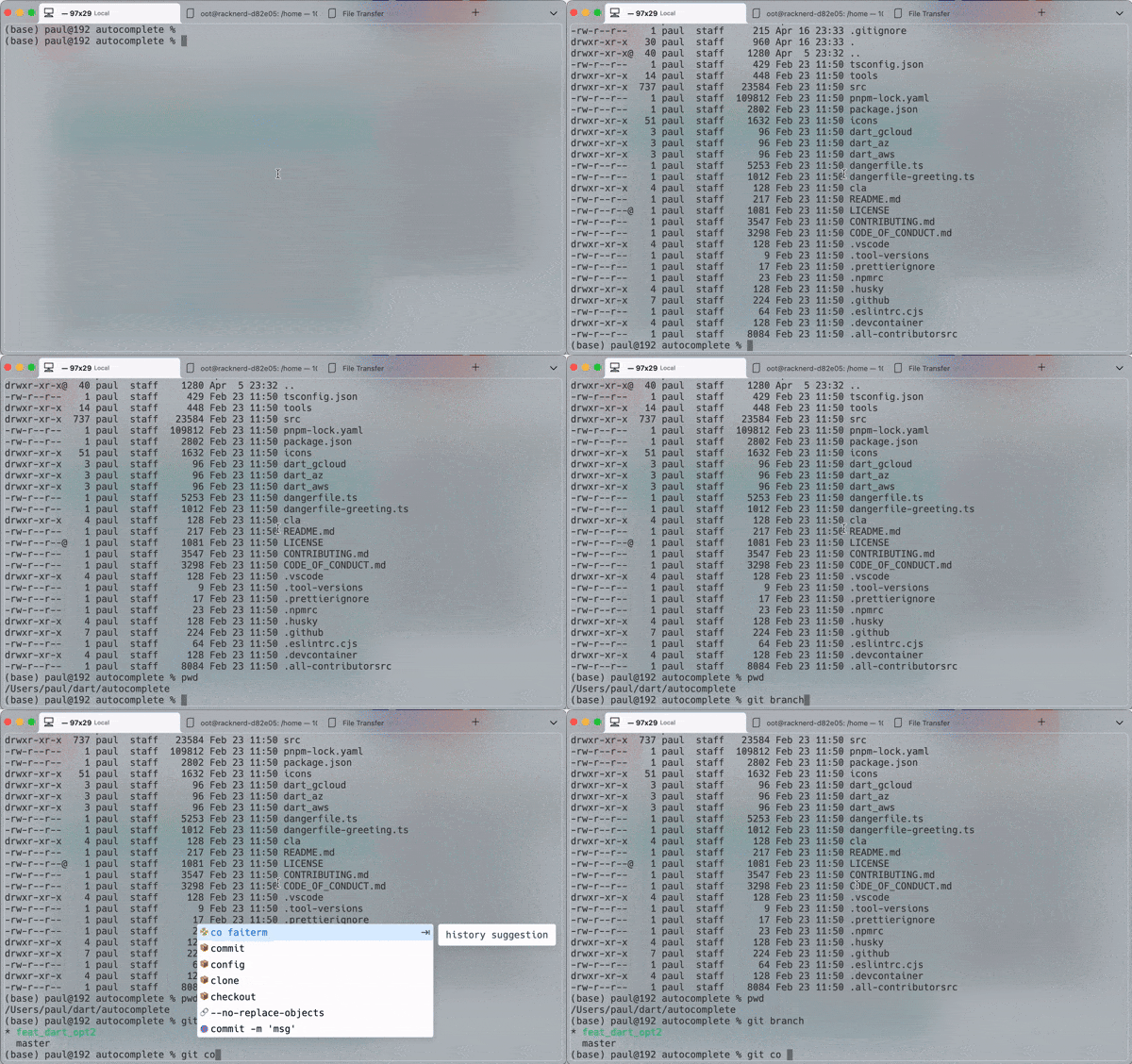
Supports local terminal operations and remote server management with multi-tab, command history, and auto-completion features for efficient terminal operations.
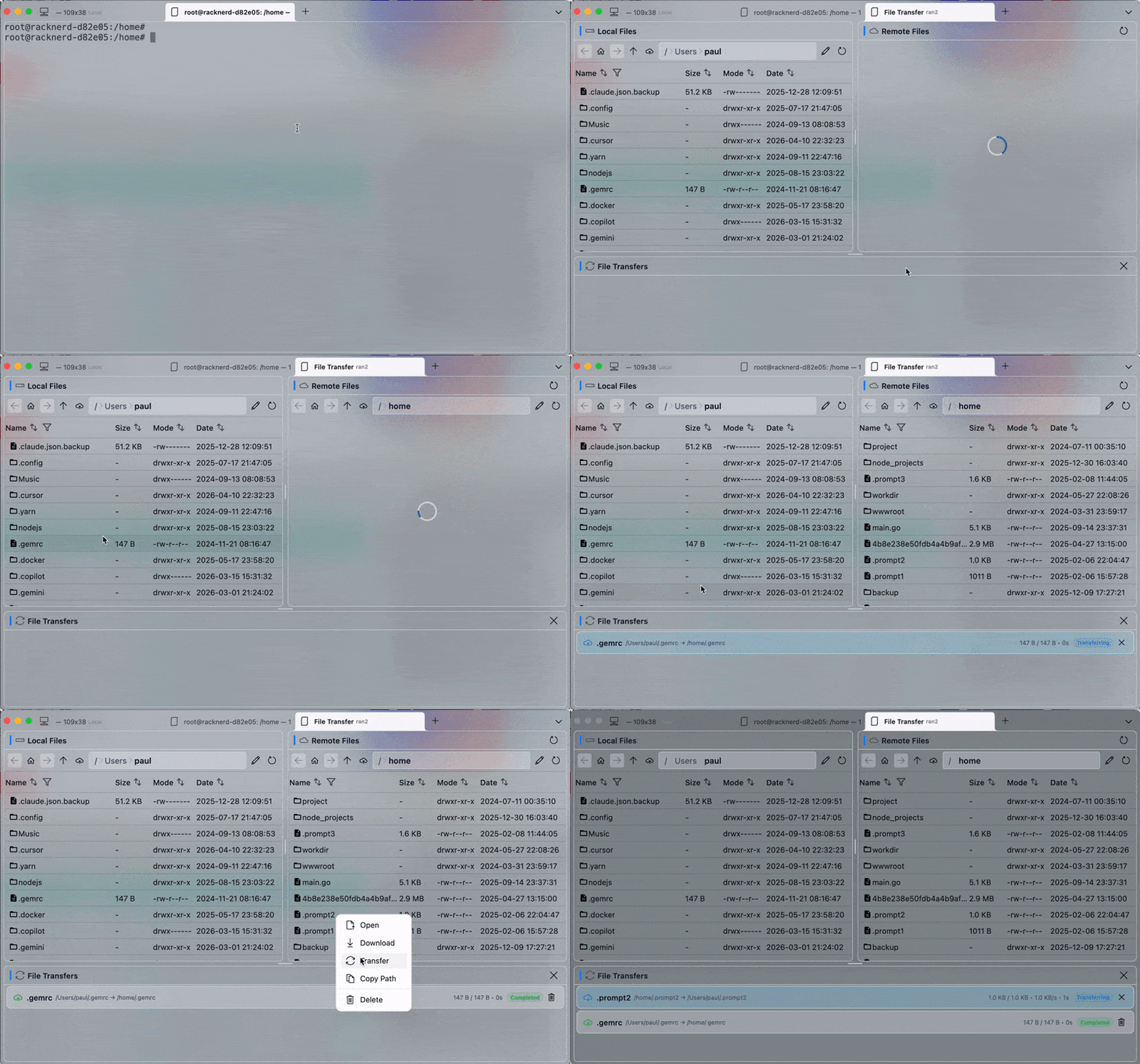
Integrated SFTP file management and sz/rz file transfer with visual file browsing, drag-and-drop operations, and batch processing for simple and efficient file management.
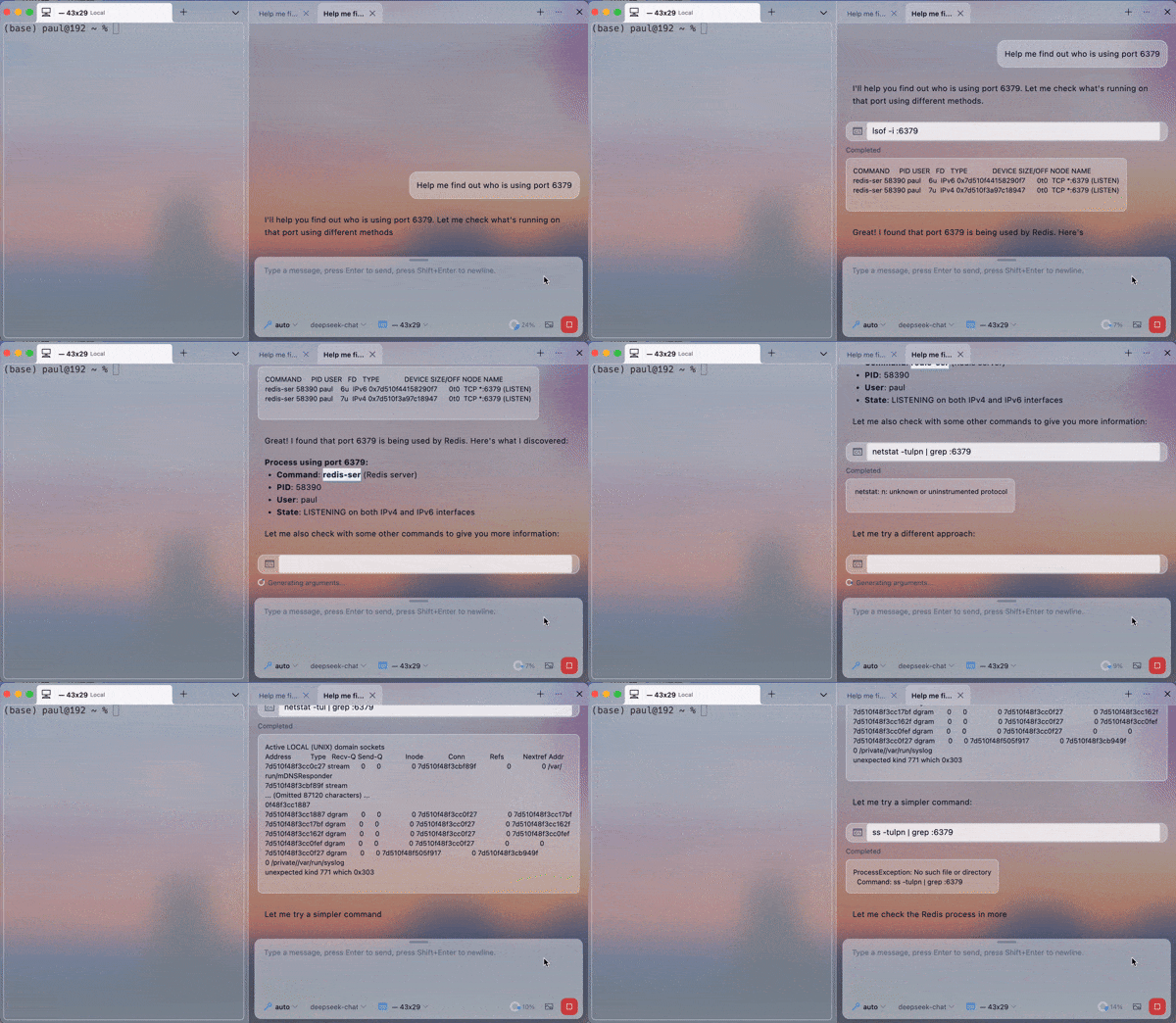
Integrated AI Q&A assistant and intelligent command completion supporting Shell scripting, operations, and development-related problem solving to significantly boost productivity.
DOWNLOAD
Free to use. Desktop and Android share the same configuration and knowledge base.
Major distributions
FAQ
FaiTerm is not yet signed by Apple, so Gatekeeper may block the first launch. Run the command below to strip the quarantine flag, or go to System Settings → Privacy & Security and click "Open Anyway". The installer also ships a repair script.
sudo xattr -dr com.apple.quarantine /Applications/FaiTerm.appFile management uses SFTP and drag-and-drop upload uses ZModem. Some cloud providers disable both by default — check that your server has them enabled.
It depends on the mode. In chat mode the AI only answers questions and never touches your environment. In auto mode it analyses your request and attempts to run commands in your environment.
It ships with 600+ common commands and is on by default, covering both local and SSH sessions. On Windows it supports powershell, bash.exe and others — cmd.exe is not supported. Over SSH the completion UI is affected by network latency and may feel sluggish.
No. We never collect any information related to your databases. The client uses PostHog and Google Analytics to collect anonymous visitor data such as country, device type, operating system, browser type and access time.
More questions in the full FAQ →
GET STARTED
Free to use, on macOS, Windows, Linux and Android. Desktop and mobile share the same configuration.